
How it works
Protect Your PetIn Three Simple Steps
HomeSafePet combines smart QR identification, secure pet profiles, and microchip registration to help lost pets get back home faster.
- No App Required
- Secure Pet Profiles
- Microchip Registration
- Lifetime Access
- Trusted & Secure
- 24/7 Support
Choose Your Protection
Choose the HomeSafePet protection that fits your pet. Use a scannable QR tag, register your pet's existing microchip, or use both for an additional layer of identification.
QR Tag
$19.99 one-time
- Stainless-steel QR identification tag
- Links to your pet's HomeSafePet profile
- No subscription or renewal fee
Microchip Registration + FREE QR Tag
$29.99 one-time
- Registers your pet's existing microchip
- We register microchips - we do not implant them
- Includes a FREE stainless-steel QR tag
- No subscription or renewal fee
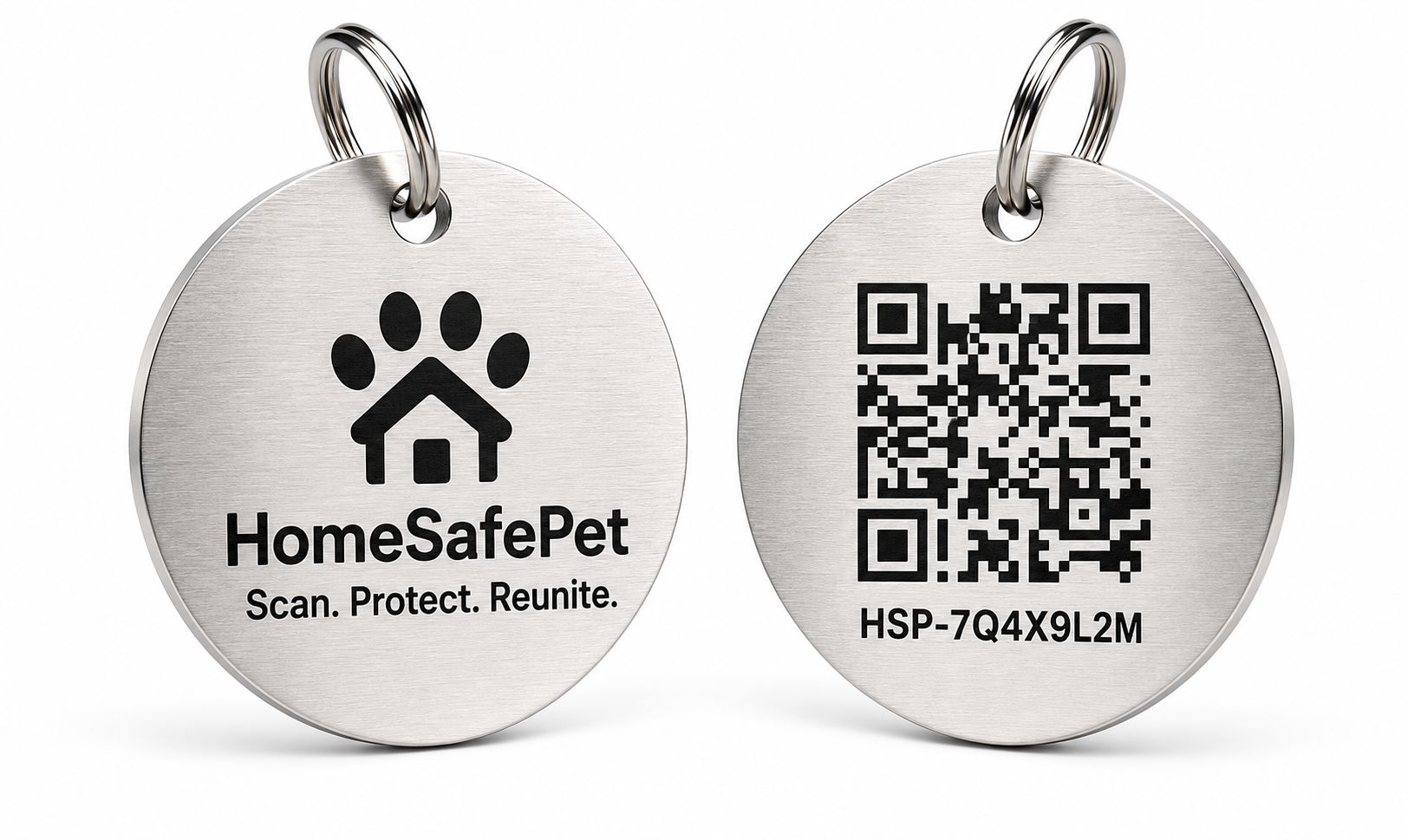
Front: HomeSafePet logo. Back: QR code with your pet's unique Profile ID.
Create Your Pet's Profile
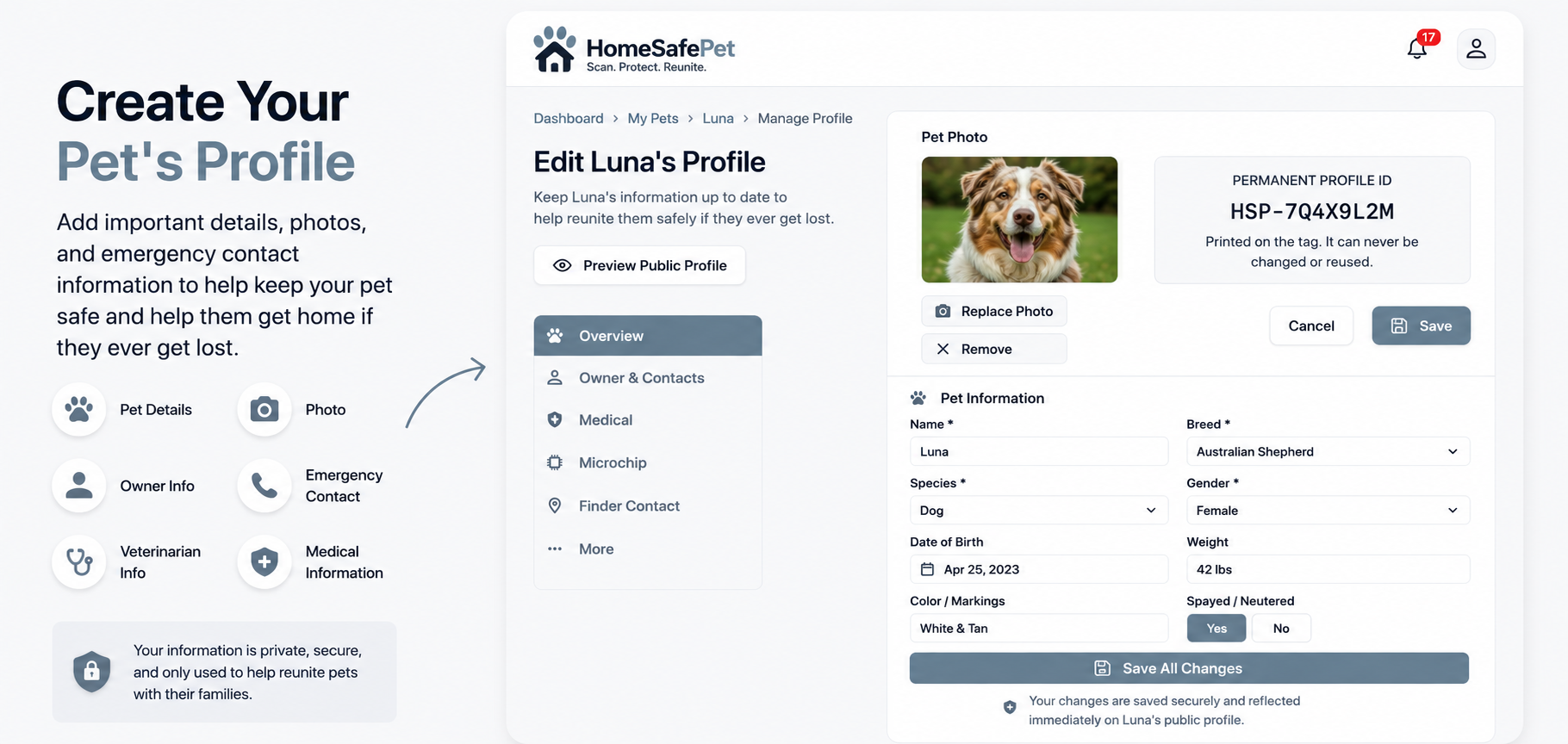
Add the information that can help identify your pet and help someone reach you if your pet is found. You can manage and update the profile through your HomeSafePet account.
- Add a pet photo
- Add pet details
- Add owner contact information
- Add an emergency contact
- Add veterinarian information
- Add relevant medical information
- Update profile information any time
You decide what appears on the public finder view. The rest of your profile stays in your account.
Scan & Reunite
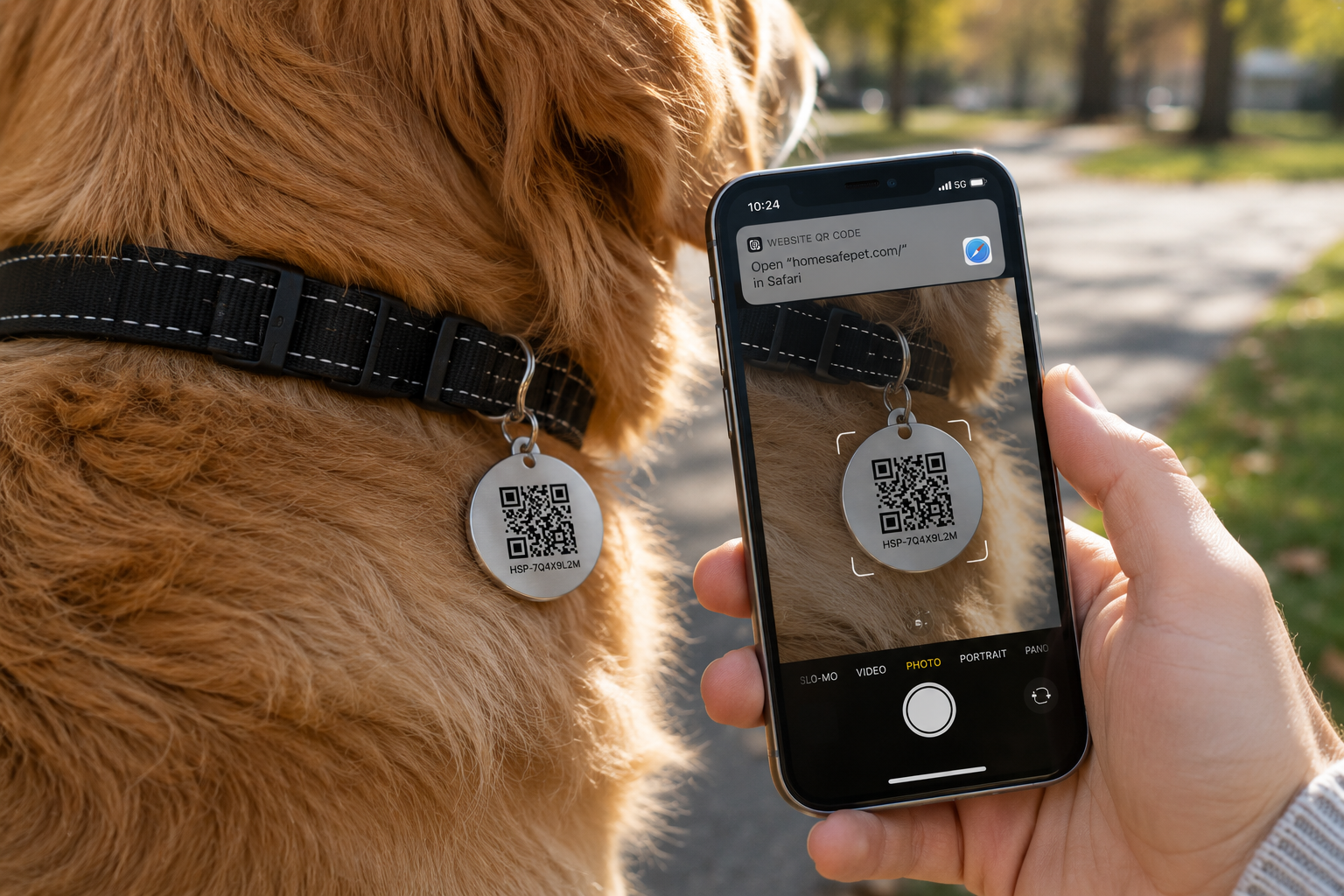
If someone finds your pet, they can scan the QR code on the HomeSafePet tag with their phone. The pet's public HomeSafePet profile opens in the browser so the finder can access the contact options made available by the owner.
- Scan the QR code with a phone camera
- No HomeSafePet app required
- No finder account required
- Public profile opens in the browser
- Finder uses the available contact options
- Printed Profile ID lets our team assist as a fallback
No app. No account required. Finders simply scan the QR code. If it can't be scanned, they can contact HomeSafePet and provide the printed Profile ID so we can help connect them with the pet's owner while protecting the owner's privacy.
QR tag vs. microchip
Why Use Both?
A HomeSafePet QR tag gives a finder immediate access to your pet's public profile using a phone. A registered microchip provides permanent identification that can be scanned by veterinarians, shelters, rescues, and other organizations with a compatible microchip scanner.
Readable by someone with a smartphone
- QR Tag
- Yes
- Microchip
- No
Works if the collar or tag is lost
- QR Tag
- No
- Microchip
- Yes
Connects a finder directly to the public pet profile
- QR Tag
- Yes
- Microchip
- Not through a normal phone scan
Scannable by vets, shelters, and rescues
- QR Tag
- Not its primary purpose
- Microchip
- Yes
Owner information stays current through HomeSafePet
- QR Tag
- Yes
- Microchip
- Yes
One-time price, no annual renewal fee
- QR Tag
- Yes
- Microchip
- Yes
QR tag: immediate, visible identification for everyday finders. Registered microchip: permanent backup if the collar or tag is missing. Using both gives stronger coverage.
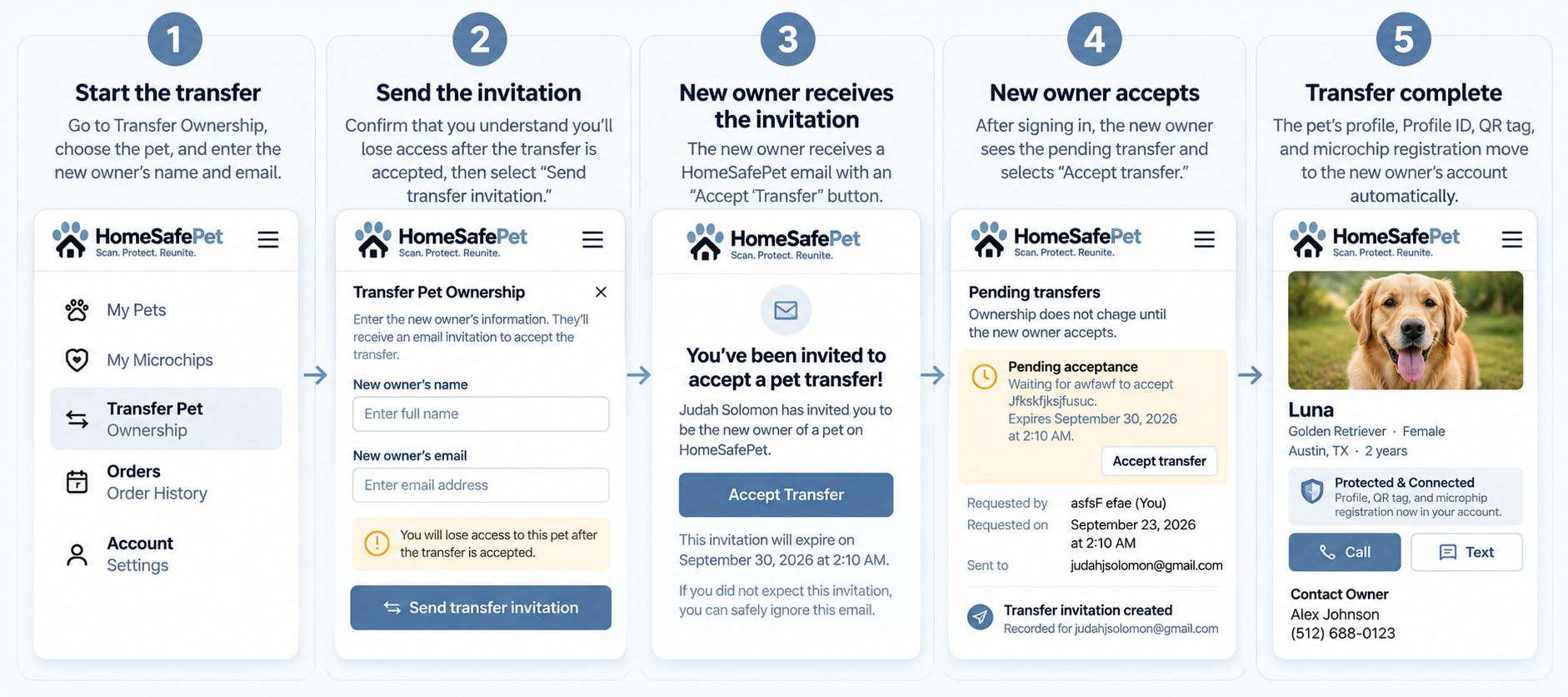
How to Transfer Pet Ownership
Quick and secure. Transfer a pet’s profile, QR tag, and microchip registration to a new owner in just a few steps.
Frequently Asked Questions
View all FAQsGive Your Pet a Way Home
Choose a HomeSafePet QR tag or register your pet's existing microchip for simple, lifetime identification protection.